

Augmented Reality 101
Author
Elisha Roodt
Date Published
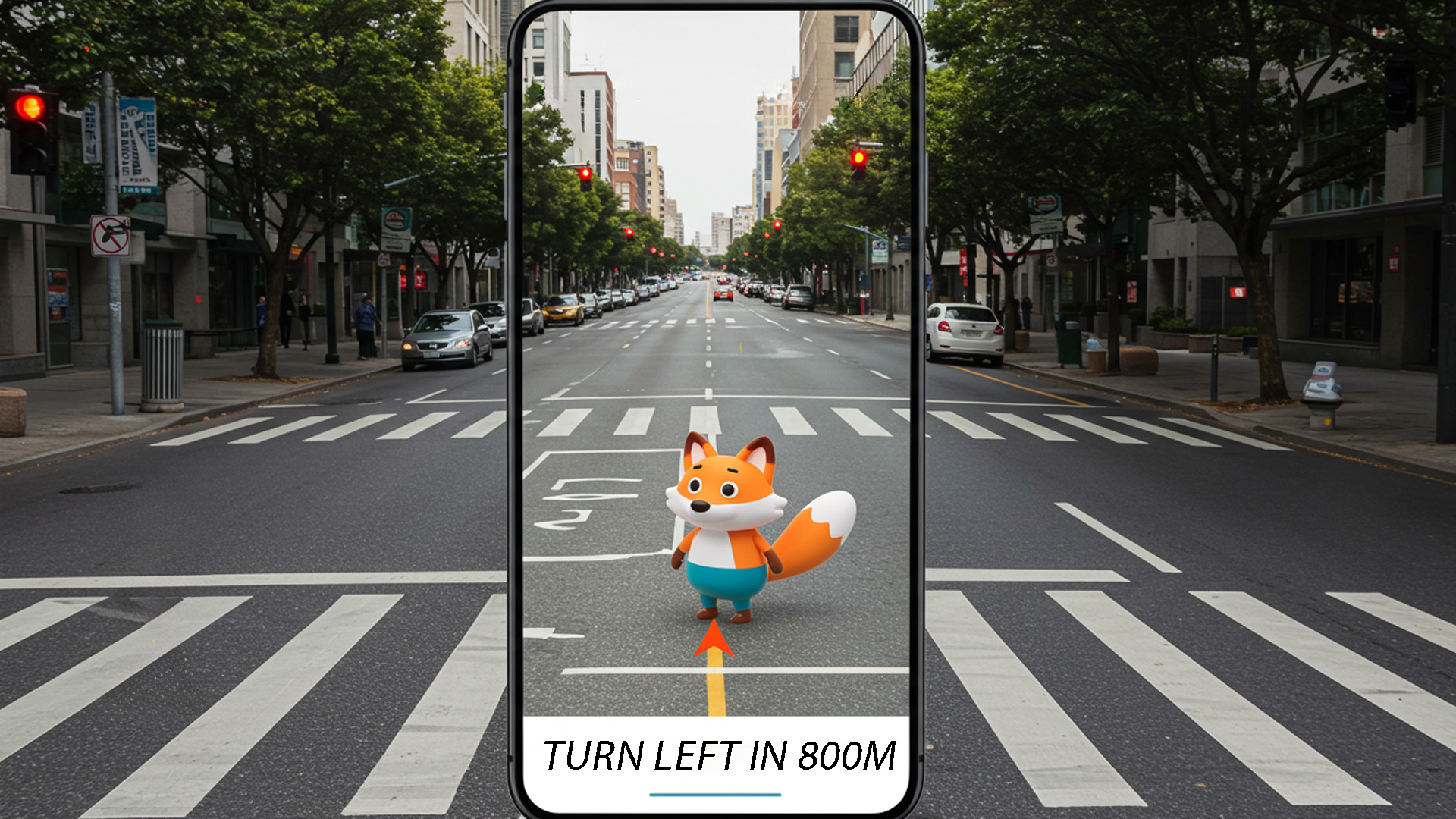
A Glimpse into Everyday Magic Through Spatial Computing
Augmented reality is the quiet superpower that makes ordinary places behave like interface surfaces. Point a camera, raise glasses to your eyes, or lift a tablet, and suddenly rooms sprout labels, tools hang in midair, and stories cling to buildings like digital ivy. This isn’t sci-fi ornamentation; it’s a design discipline that fuses perception science, 3D engines, and product thinking. Think of AR as a translator between photons and intent, a medium that overlays meaning where you already stand. In this foundational tour, we’ll demystify how AR works, sketch practical design patterns, and build a mental toolkit for shipping reliable, humane, and performant spatial experiences.
What AR Actually Is: Taxonomy, Sensors, and the Reality–Virtuality Continuum
Defining the Medium Beyond Buzzwords
People often use “AR,” “MR,” and “XR” interchangeably, but those labels hide crucial differences. A clean mental model starts with the reality–virtuality continuum: on one end sits pure reality; on the other, fully synthetic VR. Augmented reality overlays digital content on the real world without replacing it. Mixed reality adds bidirectional interaction—virtual objects understand and respond to real geometry. Extended reality is the umbrella term. In practice, you’ll mix computer vision, 3D rendering, and context awareness to place content that appears attached to the world. The key test: if you move your body and the digital content behaves like it’s truly “there,” you’re in AR territory.
To keep teams aligned, anchor discussions in capabilities rather than marketing terms. Ask: does the system track head pose or only device pose? Does content persist when I leave and return? Is occlusion physically plausible, or do virtual objects always draw on top? Can virtual elements cast shadows onto real surfaces? These questions turn squishy jargon into engineering targets and acceptance tests. A helpful analogy is theater staging: the room is your stage, the headset or phone is the audience’s eye, and content is the set. If the set obeys stage marks and lighting cues that match the room, you’ve moved past overlay gimmicks into credible augmentation.
Perception Pipeline: From Photons to Pose
Under the hood, AR systems estimate a continuously updated six-degree-of-freedom pose (position and orientation) for the camera or headset. Visual-inertial odometry fuses data from accelerometers and gyroscopes with features detected in camera frames. Think of IMU sensors as the sprinter—fast, noisy motion estimates—and cameras as the marathoner—slower but stable corrections. Simultaneous Localization and Mapping (SLAM) links them, accumulating a sparse point cloud and a map of keyframes. When all goes well, you get millimeter-scale stability; when it doesn’t, you see drift, jitter, or snap-backs that shatter immersion. Designing UI that tolerates these edge cases is part of the craft.
Pose alone is insufficient for convincing augmentation. You also need an understanding of the environment’s structure. Plane detection identifies dominant surfaces like floors, tables, and walls. Depth estimation—via LiDAR, structured light, or stereo disparity—lets you reconstruct geometry and perform occlusion. Advanced stacks add semantic labeling to distinguish chairs from plants, windows from whiteboards. A practical rule: start with planes and anchors, then layer depth for occlusion, then sprinkle semantics where it materially changes behavior. Overengineered perception drains battery and yields little benefit; right-sizing the pipeline is like choosing the correct grit of sandpaper—coarse for shaping, fine for finish.
Anchors, Planes, and Persistent Coordinate Frames
Anchors are the currency of spatial reliability. An anchor stores a pose in a world coordinate frame the runtime can rediscover later. Place a virtual tool rack on a wall? You attach it to a wall anchor derived from plane detection. Return tomorrow and, if the system relocalizes successfully, your rack appears in the same place. Anchors can be single-session or cloud-backed for multiuser persistence. Treat them as you would database keys—create, update, retire, and version them deliberately. When in doubt, anchor to stable, textured areas; blank surfaces are like slippery slopes for relocalization, leading to drift and misplaced content.
Coordinate frames compose like LEGO. Your app’s content lives in a local frame attached to an anchor; that anchor lives inside a session frame; the session maps to device space. When you support multiple users, a shared world frame—often hosted via a cloud anchor service—aligns everyone’s local coordinate spaces. This lets two people point at the same virtual object and agree on its location. If you’ve ever tried to describe a restaurant table to a friend without street names, you know the chaos of mismatched frames. AR removes that chaos by supplying consistent, rediscoverable references the runtime can resolve across time.
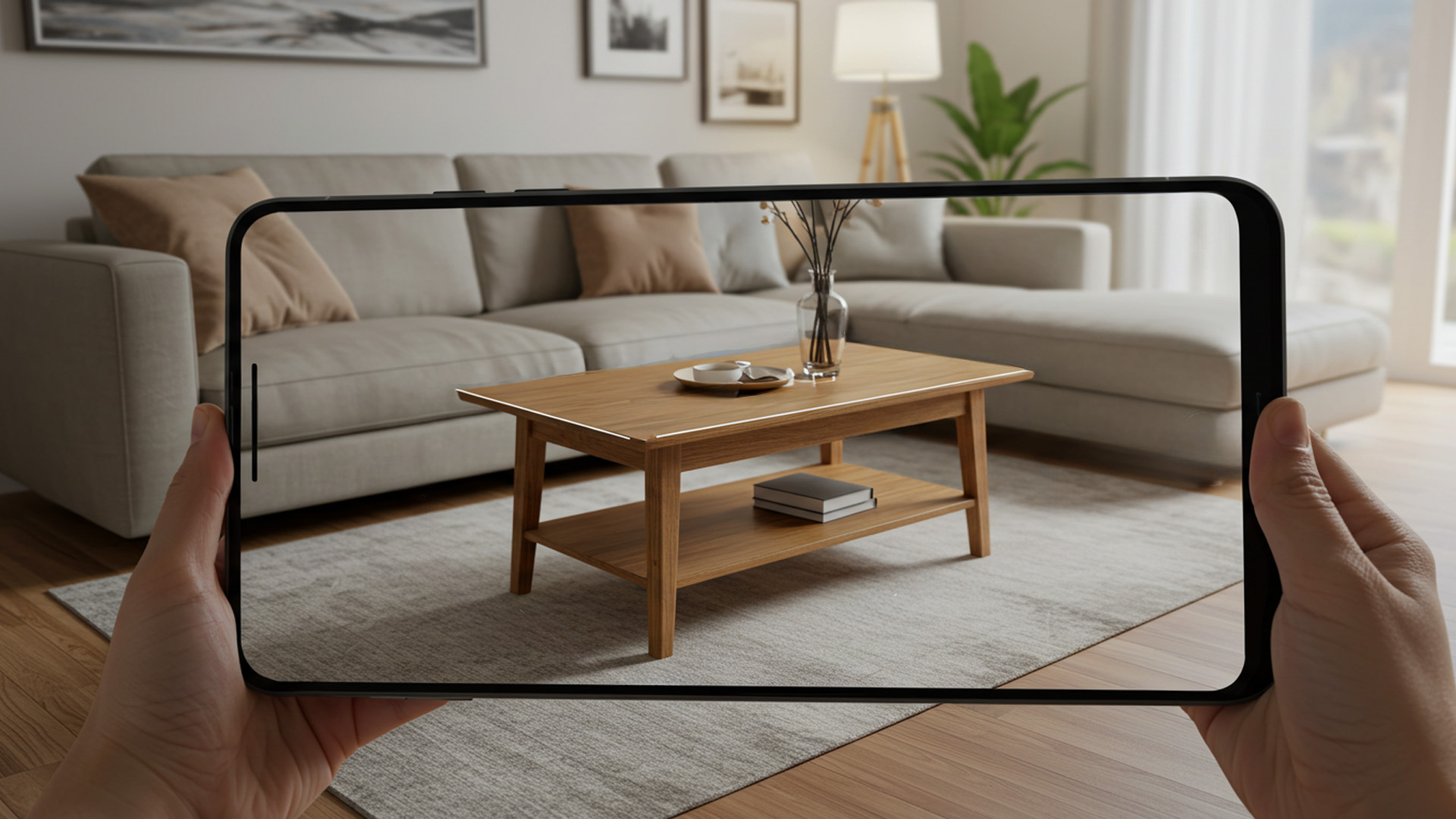
Designing for Hands and Habitat: Interaction Patterns That Respect Space
Gesture Grammars and Haptic Substitution
Touchscreens spoiled us with pixel-perfect certainty; AR reintroduces ambiguity. Hand-tracked gestures and mid-air pointers are expressive but imprecise, like drawing with a marker on a moving bus. The antidote is a gesture grammar: a compact set of consistent actions—pinch to select, grab to move, palm-up to open a radial palette—paired with generous hit targets and magnetic snapping. Because tactile feedback is limited, simulate “feel” through haptic substitution: subtle audio ticks, visual springiness, and velocity-based resistance. When a button depresses with a soft click and rebounds with a slight overshoot, your brain fills in the missing vibration.
Design affordances that signal graspability and proximity. Add contact shadows beneath interactive elements; they’re tiny anchors that make objects appear grounded. Use reach-based scaling so tools grow as hands approach, preventing “piano key” tapping in midair. Avoid greedy gestures that monopolize the whole hand when a single-finger pinch would do. For precision adjustments, switch modes: coarse positioning with grab, fine tuning with a one-axis slider that locks to the object’s local frame. Think of interactions like camera lenses—wide for exploration, telephoto for alignment. Mode clarity beats maximal cleverness; users should never wonder whether the system heard their intent.
Occlusion, Scale, and the Ethics of Presence
Nothing breaks plausibility faster than a virtual object that ignores real geometry. Proper occlusion—where real objects hide virtual ones—requires depth buffers and careful layering. When computational budgets are tight, fake it with depth-aware feathering and contact decals that blend edges into surfaces. Equally important is scale. A one-meter hologram feels benign outdoors but oppressive in a cramped hallway. Choose a canonical scale and anchor distance for your content, then adapt with heuristics: tighten UI when surrounded by obstacles, loosen it in open areas. Treat personal space as a permission boundary; don’t spawn content in a user’s face.
Presence carries ethical weight. AR can overwrite attention in places meant for rest, worship, or safety. Build geofences and quiet hours into your product thinking. Consider bystanders: privacy-preserving capture and clear recording indicators aren’t optional. For public installations, provide opt-out zones where the experience fades. Accessibility intersects here: motion sensitivity, depth perception differences, and neurodiversity affect how people parse cluttered overlays. Offer “low-motion” and “high-contrast” modes, and simplify scenes when cognitive load spikes. The best AR behaves like polite architecture—it frames what matters, steps back when it doesn’t, and never hijacks the room.
Accessibility in 3D: Motion, Contrast, and Cognitive Load
Flat-screen accessibility doesn’t automatically translate to spatial media. Motion sickness can arise from mismatched visual and vestibular cues; mitigate with head-locked stabilizers, conservative camera motion, and eased animations under 300 ms for common transitions. Color contrast must account for unpredictable backgrounds—rooms aren’t blank canvases. Employ dynamic text outlines or backplates that adapt to sampled luminance. Provide redundant channels: spatial audio callouts, concise captions, and tooltips that avoid occluding targets. A mental model helps: think of attention as a finite bandwidth; every animation and sound spends budget. Spend it where it reduces uncertainty, not where it decorates.
Input diversity is crucial. Some users won’t perform pinches reliably; others may rely on controllers, voice, or eye gaze. Offer alternate paths that map to the same grammar: voice to open palettes, gaze dwell to select, controller trigger as a pinch surrogate. Keep dwell targets generous and provide visible timers to reduce anxiety. For text, pin to world space sparingly and prefer head-locked panels for long reading. Finally, incorporate session-length safeguards. Extended AR use can fatigue neck and arm muscles; gentle prompts to rest, and UI that settles into neutral zones, help people leave your experience feeling better than they entered.

Building the Stack: Toolchains, Frameworks, and Performance Tuning
Choosing a Runtime: WebXR, Native SDKs, and Game Engines
Platform choice shapes everything from deployment to frame time. WebXR offers reach and speed of iteration—great for try-it-now prototypes and lightweight utilities—while native SDKs (e.g., AR frameworks from major mobile and headset vendors) deliver tighter sensor access, richer occlusion, and background persistence. Game engines such as Unity or Unreal excel at scene graph management, physics, shaders, and cross-platform builds. A pragmatic plan: validate with WebXR, graduate to native for features that need deeper hardware hooks, and adopt an engine if your experience is primarily 3D or if you require sophisticated rendering and toolchains for artists and technical designers.
Think beyond code when selecting your stack. How will designers author spatial layouts? Do you need live-reload of content, remote logging, or A/B test scaffolding? Is your analytics pipeline ready for 6DoF data, not just clicks? Consider build times and CI for multiple device targets. Prevent “SDK sprawl” by choosing one perception provider per platform and avoiding overlapping features that fight each other. If you must bridge ecosystems, isolate each runtime behind a clean interface and synchronize only what matters: poses, anchors, and scene state deltas. This keeps the architecture decoupled, testable, and resilient to vendor updates.
Spatial Mapping, Semantics, and Lightweight ML On-Device
World understanding ranges from planes to dense meshes. For many products, planes are enough; they enable believable placement, snapping, and simple physics. When you need object-aware behaviors—placing notes on “refrigerators,” excluding “windows”—semantic segmentation pays off. Lightweight convolutional models, quantized for mobile NPUs, can classify surfaces in real time without draining the battery. Cache results and favor temporal smoothing to avoid flicker. Treat your scene understanding like progressive JPEG: start coarse, then refine as needed. This lets interactions feel instant while deeper analysis trickles in. Your goal isn’t omniscience; it’s sufficient certainty to make the next user action feel smart.
Beware the allure of heavy meshes. High-density reconstructions look impressive in demos but can torpedo performance and memory. If occlusion is your only aim, prefer depth-buffer methods or low-poly meshes with per-pixel depth tests. For physics, proxy complex shapes with primitive colliders or convex hulls. If you capture room scans for persistence, compress aggressively, split by zones, and version the data so you can invalidate stale geometry after furniture moves. Above all, design graceful degradation paths: when semantics fail, fall back to planes; when depth is noisy, reduce interaction range. Reliability beats perfect detail in lived environments.
Latency Budgets, Power Envelopes, and Thermal Reality
AR’s invisible constraint is motion-to-photon latency: the time between a user’s movement and the display update. Keep it low and content feels nailed to reality; let it creep up and the world lags like a loose hinge. Budget frame time relentlessly. Use late latching or reprojection where available. Prioritize head-pose updates over everything, even at the expense of noncritical effects. Profile on device, not just in editor, because thermal throttling will rewrite your assumptions. Consider your render scale, shader complexity, and overdraw—transparent UI layers compound cost. A minimalist, legible aesthetic is not only tasteful; it’s thermally responsible.
Battery is the second boss. Cameras, IMUs, and neural accelerators sip power individually but guzzle in aggregate. Duty-cycle expensive sensors, cache results, and pause nonessential tasks when the app is backgrounded or the device is stationary. Favor bursty computation that finishes quickly over constant dribble that holds clocks high. Provide explicit “efficiency modes” that relax effects and update rates for long sessions. On head-worn devices, thermal comfort directly affects wearer tolerance; nobody loves a forehead sauna. Treat performance as part of UX: smoothness, stability, and cool hardware turn your prototype into something people actually choose to use.

Narratives That Stick: Prototyping, Evaluation, and Business Readiness
Story Architecture for the Street
AR stories live in messy places: sidewalks with glare, offices full of glass, homes with curious pets. Architect your narrative like a street performance—portable, adaptable, and resilient to hecklers. Start with a “spine,” a sequence of moments that can survive environmental chaos. Each moment should have a low-tech fallback: if depth is unreliable, switch to head-locked framing; if GPS drifts, rely on visual relocalization with posters or murals as natural markers. Use spatial audio as a guide rope, pulling attention toward the next beat. The goal isn’t perfect choreography; it’s a memorable arc that tolerates the city’s improvisation.
Prototyping should be aggressively scrappy. Cardboard cutouts, duct-taped phones, and taped floor marks beat weeks of shader polish. Iterate in the actual deployment environment as early as possible; a concept that sings in a lab can fall apart under fluorescent flicker. When a test fails, capture the failure mode as a “scene recipe”: lighting, textures, crowd density, and background noise. Build a library of these recipes and stress-test new builds against them. Over time, you’ll develop intuition for where the story survives—and where it needs a different beat. Like street magicians, great AR teams practice the reveal where the crowd actually gathers.
Measuring Impact: Telemetry Without Creeping
Measuring AR is tricky because success hides in body language: micro-head nods, arm fatigue, and hesitations at decision points. Instrument what you can without overcollecting. Log high-level events—anchor created, object placed, tool used—and compress pose traces into path summaries or heatmaps rather than raw streams. Use on-device aggregation with privacy-preserving noise for shared analytics. Qualitative data matters: short post-task interviews, think-aloud tests, and video capture (with consent) reveal friction that metrics miss. Define north-star metrics grounded in utility: time-to-first-placement, error-free alignment rate, and repeat visit percentage. Vanity numbers may trend up while actual usefulness stalls.
Score experiences along three axes: credibility (does it look “there”?), agency (can I do what I intend?), and stamina (can I use it comfortably for the session length?). Lightweight surveys with anchored scales map directly to these axes. Combine them with performance counters—frame time, thermal headroom, relocalization success—and you can correlate subjective dips with objective causes. Finally, close the loop with in-app coaching. If a user places objects on transparent glass repeatedly, the system can suggest textured backdrops or alternate anchoring strategies. Measurement should serve the user’s progress, not just governance dashboards.
From Pilot to Platform: Governance and Rollout
Pilots are seductive, but platform thinking keeps programs alive. Treat anchors and content like a content management system for space. Who can author? Who can approve? How are assets versioned, localized, and retired? Draft a spatial content schema: types (labels, tools, narratives), lifetimes (session, persistent, seasonal), and safety flags (no-spawn zones, bystander sensitivity). Implement guardrails for updates—staged rollouts, health checks, and auto-revert on crash or latency regressions. Provide operational dashboards that show anchor health and environment compatibility so support teams can diagnose “it vanished” reports without guesswork.
Plan for heterogeneous hardware fleets. Your app may run on phones, tablets, and head-worn displays with divergent sensors and field-of-view constraints. Create capability tiers: gold (full occlusion and semantics), silver (planes and partial depth), bronze (pose only). Serve appropriate assets and effects by tier, and test cross-presence so users on different tiers can still collaborate. Budget for maintenance—SDKs evolve, operating systems move fast, and perception algorithms change. In other words, treat AR not as a one-off spectacle but as living infrastructure. When you do, augmentation stops being a demo and becomes part of how a place works.